GuideShot docs
A product state anyone can follow.
In one minute, you will see the smallest complete recipe, the artifact it publishes, and where each part of the system belongs.
Start with the result
This is a real generated guide, not a hand-built mockup. Its language and theme controls select other artifacts from the published manifest.
Try the guide
Ship a release
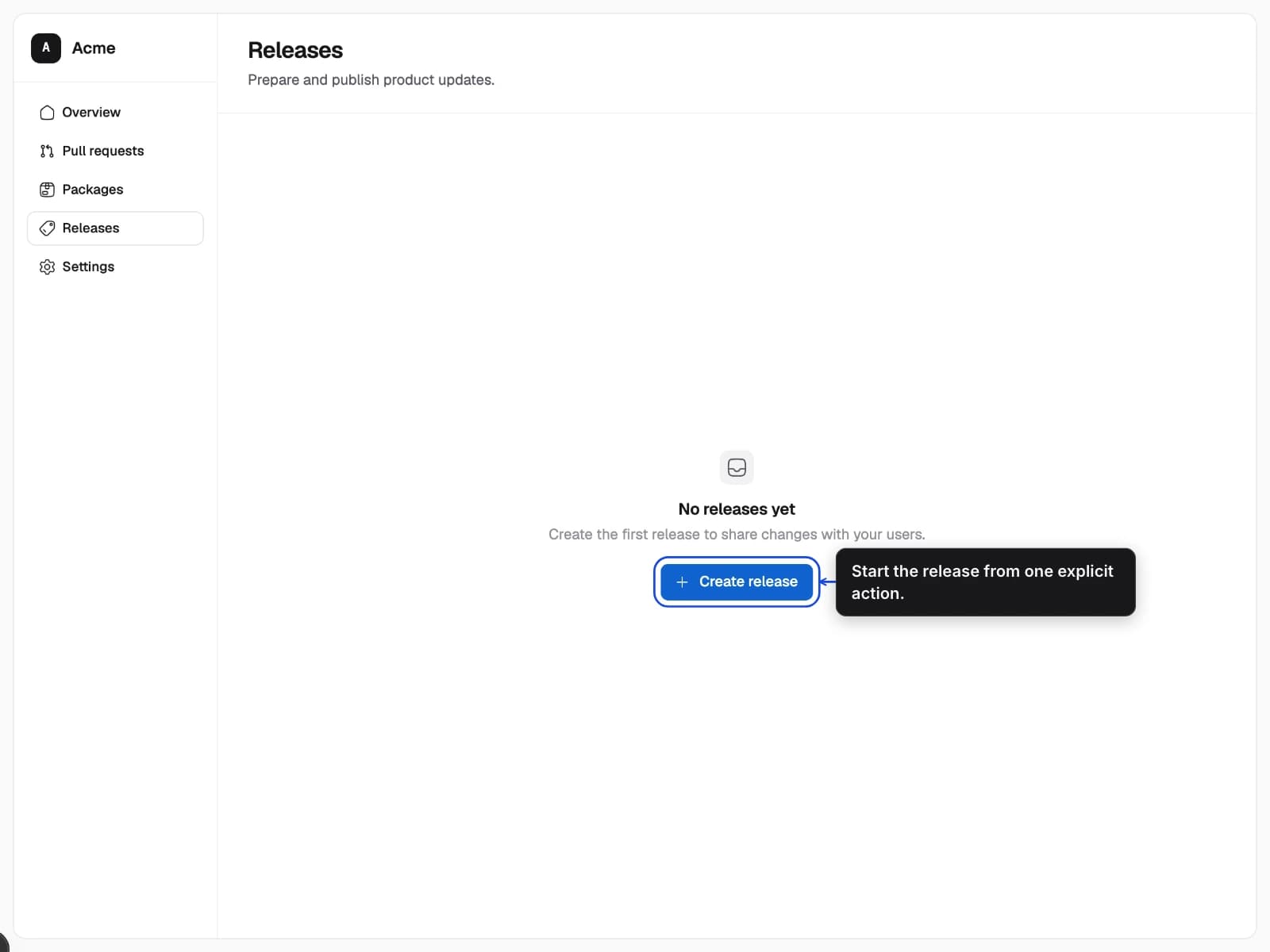
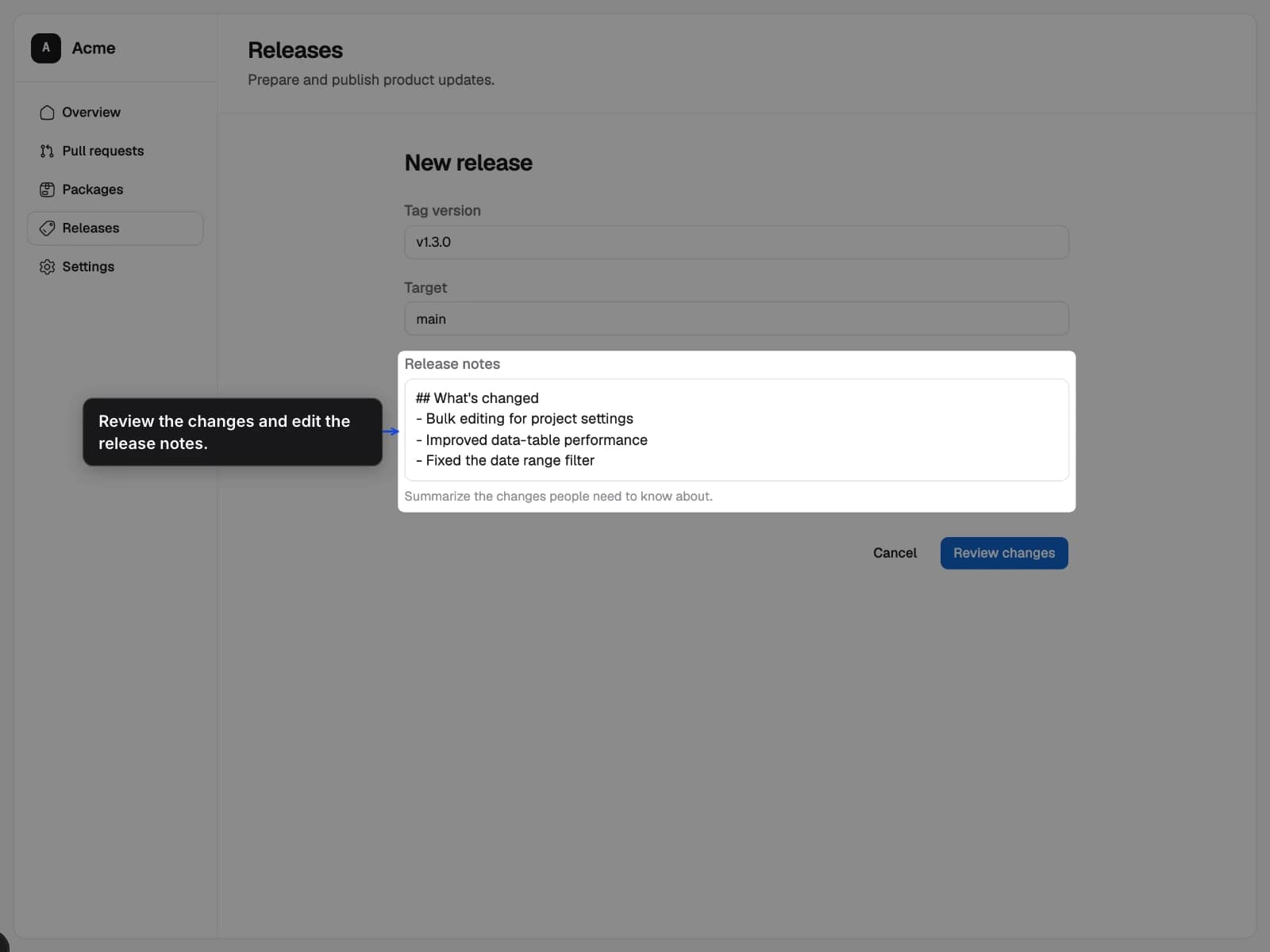
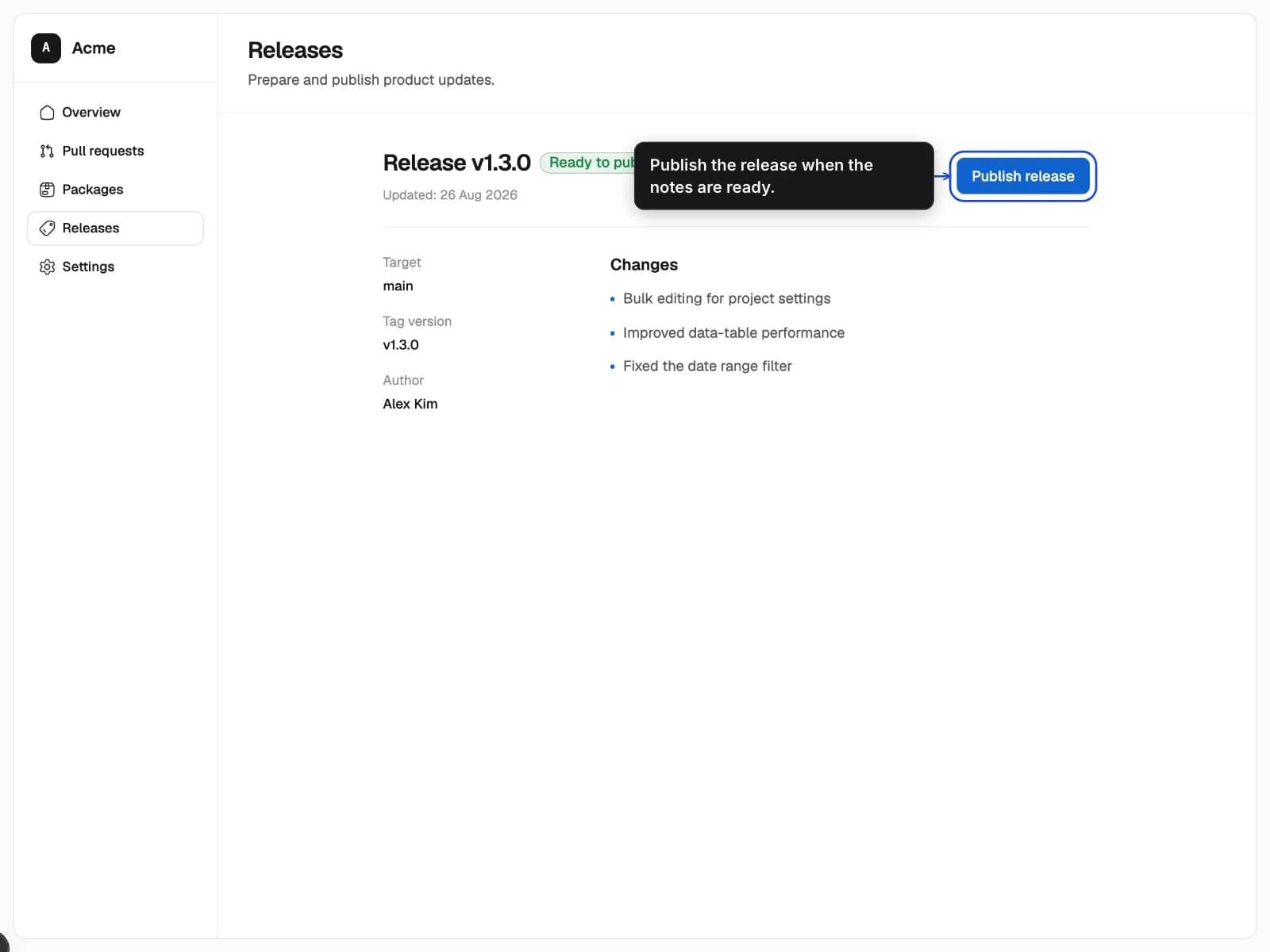
Create release
Start from the Releases page with one clear action.
- 1Open Releases
- 2Choose Create release
The input is a reviewed recipe
The recipe contains portable visual intent. It does not contain credentials, browser callbacks, or application setup code.
{
  "$schema": "https://guideshot.dev.wemuda.com/schemas/recipe.v1.json",
  "version": 1,
  "id": "release.create",
  "profile": "guide.desktop",
  "page": { "path": "/releases" },
  "ready": [
    { "expect": "visible", "target": "release.create" }
  ],
  "annotations": [{
    "id": "create",
    "kind": "callout",
    "target": "release.create",
    "content": { "en": "Start the release here." }
  }],
  "output": { "formats": ["webp"] }
}
The complete pipeline
GuideShot keeps application preparation, browser capture, and image composition separate so each layer remains reviewable.
1
Describe
A recipe names the page, stable target, and explanation.
2
Prepare
A reviewed adapter creates the exact product state.
3
Capture
GuideShot records pixels and target geometry in Chromium.
4
Publish
The renderer adds guidance and writes a versioned manifest.